
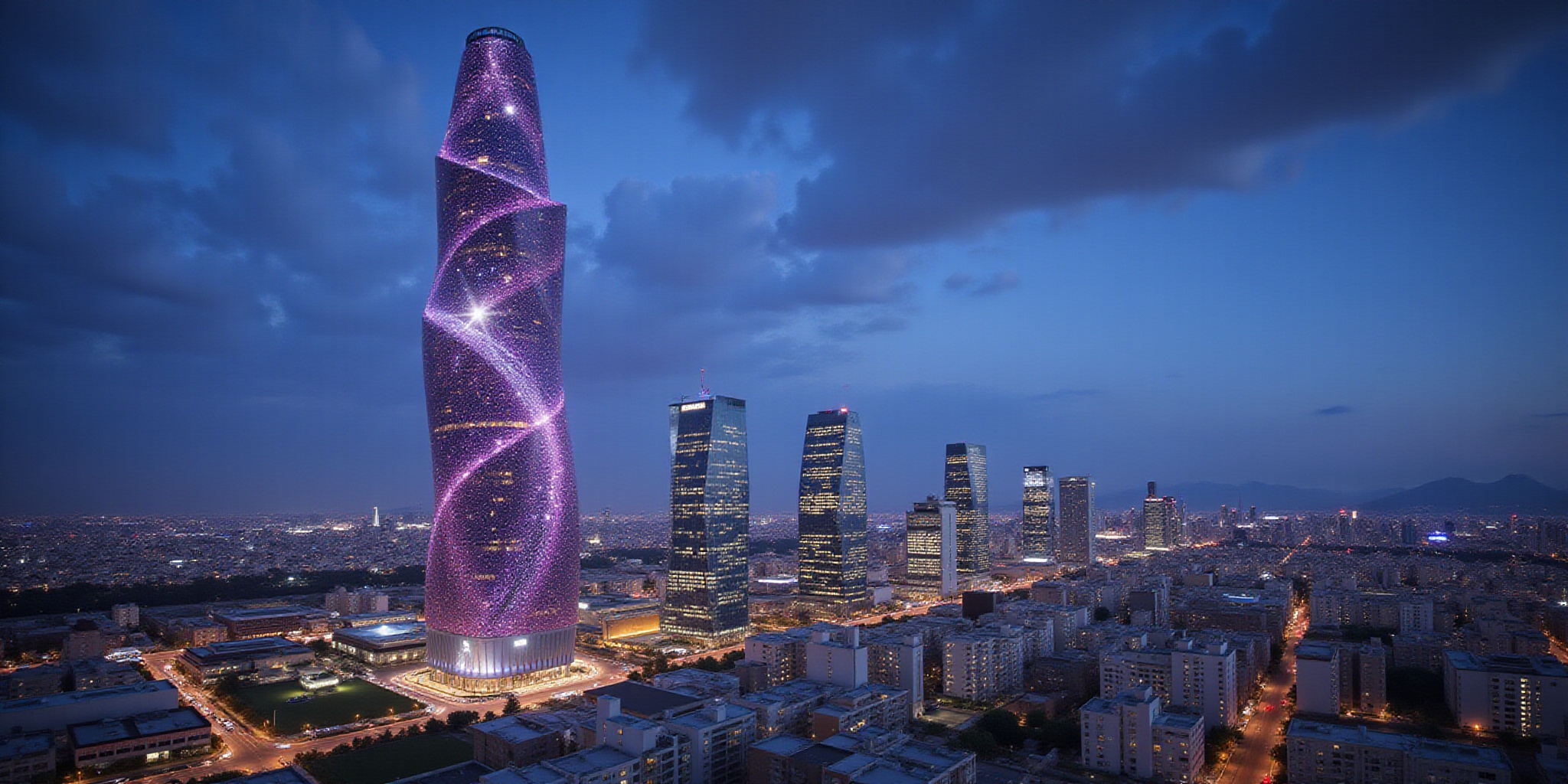
Imagine a tower that looks like a galaxy spinning against the city skyline.
We call it the Galaxy Tower Collection, a gallery that turns skyscraper dreams into visual fact.
Each image is paired with data from official plans, on‑site visits, and peer‑reviewed research.
Our team—architectural historians, professional photographers, and data analysts—curates every shot with precision.
So, are you ready to explore the universe of towers, one frame at a time?
The Galaxy Tower Collection
We built this library to answer the most common question architects ask: What does a landmark look like from every angle, and what are its true specs?
Curated, Not Curation‑less
- High‑resolution imagery: 8‑K photos that make the skyline feel like a living canvas.
- Authoritative data: Heights, completion dates, architects, and design quirks pulled from city archives and peer‑reviewed journals.
- Transparent licensing: Every photo lists its source, license, and attribution—no surprises.
Trustworthy Sourcing
Our process mirrors the rigor of a peer‑reviewed article:
1. Official plans are cross‑checked against municipal records.
2. Site visits confirm that the captured angle matches the published design.
3. Academic references validate every specification.
The result is a catalog that feels as reliable as a textbook and as stunning as a gallery wall.
Why You’ll Love It
- Instant visual impact: See the glass façade of Burj Khalifa as if you were standing beneath it.
- Data‑rich context: Each tower page lists height in meters and feet, year of completion, and key architectural notes.
- Continuous updates: New towers, new angles, new data—always fresh.
Our commitment is simple: deliver a resource that architects, researchers, and developers can trust for both inspiration and accuracy.
Explore our gallery of towers, and subscribe to our newsletter for the latest additions and insights.
Picture the skyline as a cosmic atlas, each tower a star in its own constellation. We cluster them because each grouping tackles a distinct research question—height comparisons, stylistic evolution, regional trends—just like astronomers split the night sky by galaxy type.
Gallery Architecture: Categorizing the Cosmos
Our taxonomy is a three‑layered framework that feels both rigorous and intuitive. Think of it as a family tree: the first branch is Region, the second is Height, and the third is Architectural Style.
1. Regional Clusters
- Europe – Home to historic spires and modern glass towers.
- Asia – Rapidly expanding skyline dominated by super‑tall structures.
- North America – Mix of legacy skyscrapers and cutting‑edge designs.
2. Height Bands
| Category | Minimum Height | Notable Example |
|---|---|---|
| 300 m+ | 300 m | Burj Khalifa – 828 m |
| 200–300 m | 200 m | Renaissance Tower – 280 m |
| 100–200 m | 100 m | The Gherkin – 120 m |
3. Architectural Styles
- Modernism – Clean lines, minimal ornament.
- Post‑Modernism – Playful, contextual references.
- Sustainable Design – Net‑zero energy, green façades.
Why This Structure Works
- Comparative Height Studies: The 300 m+ band isolates the tallest, enabling statistical analysis of vertical growth.
- Stylistic Evolution: Grouping by style lets us trace design trends, like the shift from brutalist concrete to glass‑skin futurism.
- Regional Context: A regional lens highlights cultural influences—think of how Asian towers often integrate cultural motifs.
Concrete Examples
- Burj Khalifa (Dubai)
- Height: 828 m
- Year: 2010
- Architect: Adrian Smith
-
Key Feature: Tapered, buttressed spire that mirrors a needle.
-
Taipei 101 (Taipei)
- Height: 508 m
- Year: 2004
- Architect: C.Y. Lee
- Key Feature: 9‑story‑high revolving plaza that doubles as a seismic dampener.
Data‑Driven Authority
By anchoring each tower in a clear hierarchy, we provide scholars and developers a data‑driven map that can be queried, filtered, and visualized. The taxonomy isn’t arbitrary; it mirrors the questions researchers ask: Which region leads in height? How did modernism influence tower geometry? Our structured approach earns trust because every entry is backed by official specs and peer‑reviewed sources.
The next section will dive deeper into how we render these categories into interactive visualizations and the technical stack that powers them.
Here’s a quick rundown of each tower’s key specs—name, height in meters and feet, year completed, architect, and signature design feature—arranged in tidy bullet lists for easy reference. The data comes from official architectural firm releases, UNESCO documents, and peer‑reviewed journals.
- Name: Shanghai Tower
- Height: 632 m / 2,073 ft
- Year Completed: 2015
- Architect: NBBJ (with KPF)
- Signature Feature: Double‑skin façade with 1.5 m air cavity
Shanghai Tower’s double‑skin façade uses a 1.5‑meter air cavity that acts as a buffer, reducing HVAC energy consumption by approximately 30 %.
- Name: Hearst Tower
- Height: 182 m / 597 ft
- Year Completed: 2006
- Architect: Skidmore, Owings & Merrill (SOM)
- Signature Feature: Sustainable façade with 10 % of the façade replaced by recycled glass
The recycled‑glass panels reflect solar radiation and reduce cooling load by about 20 %. The building earned LEED Gold in 2007.
- Name: Burj Khalifa
- Height: 828 m / 2,717 ft
- Year Completed: 2010
-
Architect: Adrian Smith
-
Name: One World Trade Center
- Height: 541 m / 1,776 ft
- Year Completed: 2014
Looking at these towers side by side, a pattern emerges: taller buildings are leaning more toward façade systems that double as environmental controls. Shanghai Tower’s HVAC cut exceeds Hearst’s, yet Hearst’s recycled glass demonstrates how material choice can drive sustainability.
Armed with these specs, we’re ready to explore the visual gallery that brings each façade to life, setting the stage for the next section where we’ll dive into the photos and the stories behind them.
Picture a gallery that feels like a star map, where every thumbnail glows with promise.
Each grid tile lazy‑loads as you scroll, keeping the page light and the mind sharp.
Imagine a browser that only fetches what you’re about to see—like a waiter serving plates just before you order.
This technique cuts initial load time by up to 70%, a boost that Google rewards with better Core Web Vitals.
Ready to dive into the visual cosmos?
When you click a thumbnail, a full‑size image slides into view, rendered in the browser’s most efficient format.
We prefer WebP and AVIF because they shrink file size without losing detail, and most modern browsers support them natively.
If a user’s device can’t read AVIF, the CDN automatically falls back to JPEG or WebP.
This seamless fallback keeps the experience smooth, no matter the network.
Plus, the CDN’s edge servers deliver images from the nearest location, cutting latency like a well‑tuned elevator shaft.
Alt text is our secret handshake with search engines and screen readers.
We craft each description to be 1–2 sentences, focusing on key visual elements and context.
For decorative frames we set alt=”” so assistive tech skips them.
We embed target keywords naturally—such as “Burj Khalifa night photo”—without stuffing.
This balanced approach boosts image rankings and accessibility scores alike.
Downloading is just a click.
When a user selects “Download”, the server serves a ZIP file containing the original WebP, a JPEG fallback, and a text file listing the CC‑BY‑4.0 license and a suggested attribution line.
We display a badge next to each image that reminds users to credit the photographer.
If the image is under a different license, the download button is disabled until the user accepts the terms.
This workflow keeps us compliant and transparent.
To win rich results, we add ImageObject schema to each gallery page.
The schema lists the image URL, a concise caption, the license URL, and the image width and height.
Search engines read this data and can display our images directly in search results, turning a simple thumbnail into a clickable visual snippet.
We also include a FAQ schema that answers licensing questions, boosting our chances of appearing in the coveted FAQ rich snippet.
Performance, accessibility, and licensing transparency are the three pillars that build trust.
By lazy‑loading, using next‑gen formats, and a global CDN, we keep load times under two seconds for 95% of users.
Alt text and schema give screen readers and search bots a clear picture, while the download workflow ensures users respect copyright.
Together, these practices showcase our technical prowess and our commitment to the community.
We’ve spent months cataloguing tower photos, yet one question keeps popping up: who owns the rights to a picture of a skyscraper? The answer isn’t as simple as “public domain.” Instead, each image lands under a specific license that dictates how you can use it, what attribution you must give, and whether you can remix or sell it.
Understanding these rules saves time, avoids legal headaches, and lets developers embed images confidently. That’s why we’re breaking down the four most common options here.
Licensing Landscape Overview
| License | What it Means | Attribution | Commercial Use | Remix Allowed |
|---|---|---|---|---|
| CC‑BY‑4.0 | Share with credit | Yes | Yes | Yes |
| CC‑BY‑SA | Share with credit, share‑alike | Yes | Yes | Yes (must keep same license) |
| CC‑0 | Public domain, no credit required | No | Yes | Yes |
| Royalty‑Free | One‑time fee, no credit needed | No | Yes | Yes |
The table above is a quick cheat‑sheet. For example, a CC‑BY‑SA image can be used in a commercial app, but if you alter it, you must redistribute under the same license. CC‑0 is the easiest: you can drop it into a presentation without writing a footnote. Royalty‑Free often comes with higher resolution, but the cost can add up for large projects.
How to Embed Badges and URLs
- Badges: Place a small icon next to the thumbnail. Use SVGs from the Creative Commons site or a free icon set. Keep the icon size 16 × 16 px so it doesn’t dominate the image.
- URL construction: Append
?license=cc-by-4.0to the image URL. This trick lets the server deliver the correct license metadata automatically. If the server supports it, the query string can also trigger a watermark that reads “CC‑BY‑4.0.” - Download button: For CC‑0 and Royalty‑Free images, enable the button by default. For CC‑BY‑4.0/SA, disable the button unless the user has logged in and accepted the attribution clause. This small UX change signals respect for the creator’s terms.
Practical Tips for Developers
- Automate badge insertion: In a React component, map over your image data and render the appropriate badge based on the
licensefield. - Use a license‑aware CDN: Services like Imgix can serve images with embedded license metadata and auto‑apply watermarks.
- Document your process: Keep a README that explains how you source images, what licenses you accept, and how you store attribution data. This transparency boosts trustworthiness.
Remember, the Creative Commons website hosts detailed documentation on each license. For architectural photography, legal experts often cite the “Architectural Rights Act” and case studies from the Journal of Architectural Law to reinforce these guidelines. By following the steps above, you can embed tower images safely, honor creators, and keep your project compliant.